Skip to content

Your business phone, in the browser

Calls, texts and your team, in one calm place.

Give everyone a US number, then call, text and stay in touch with your team from any laptop or phone. Nothing to install, no desk phones, and you pay only for what you use.

  • Nothing to install
  • Prepaid, pay as you go
  • Light and dark, on every screen
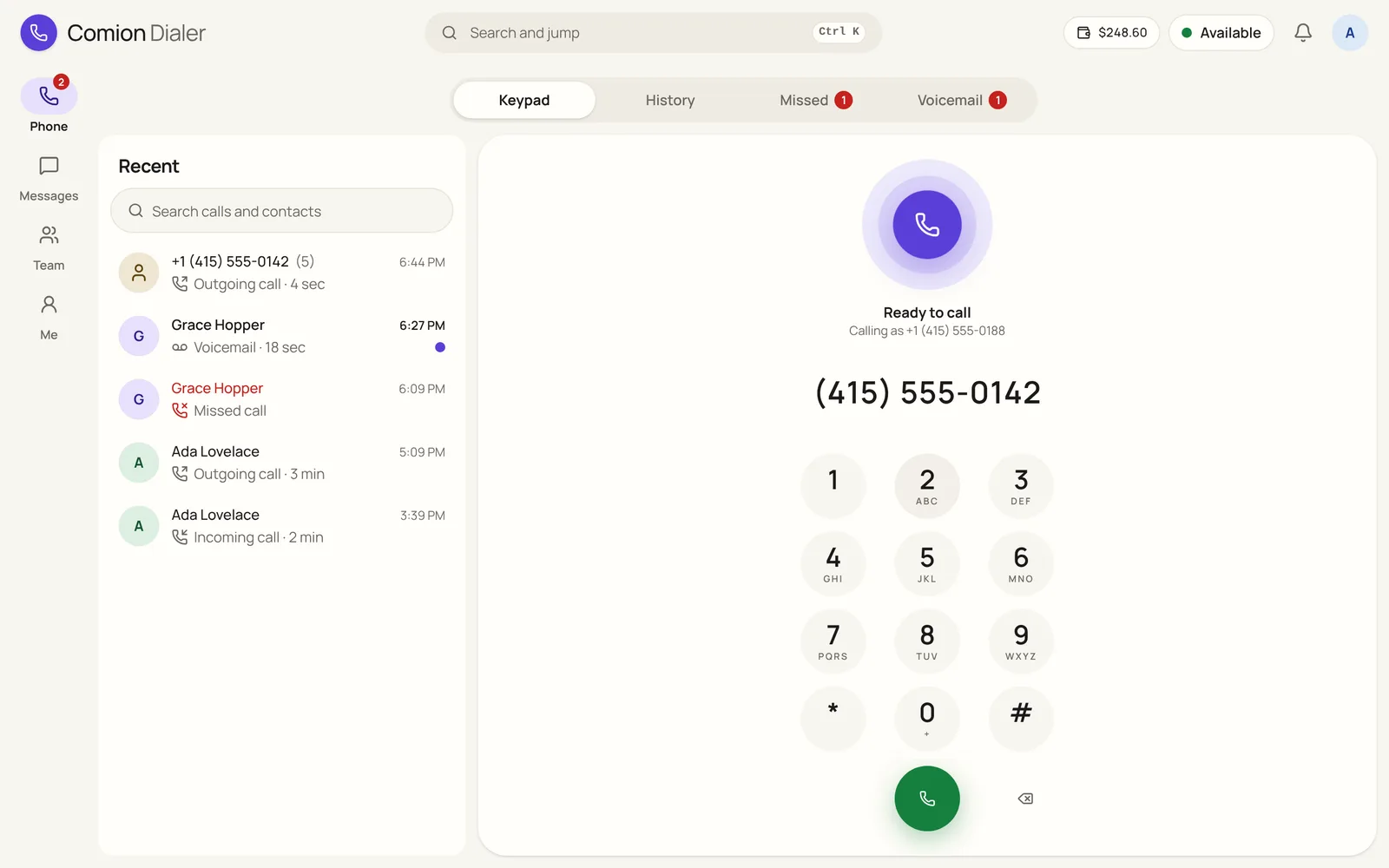
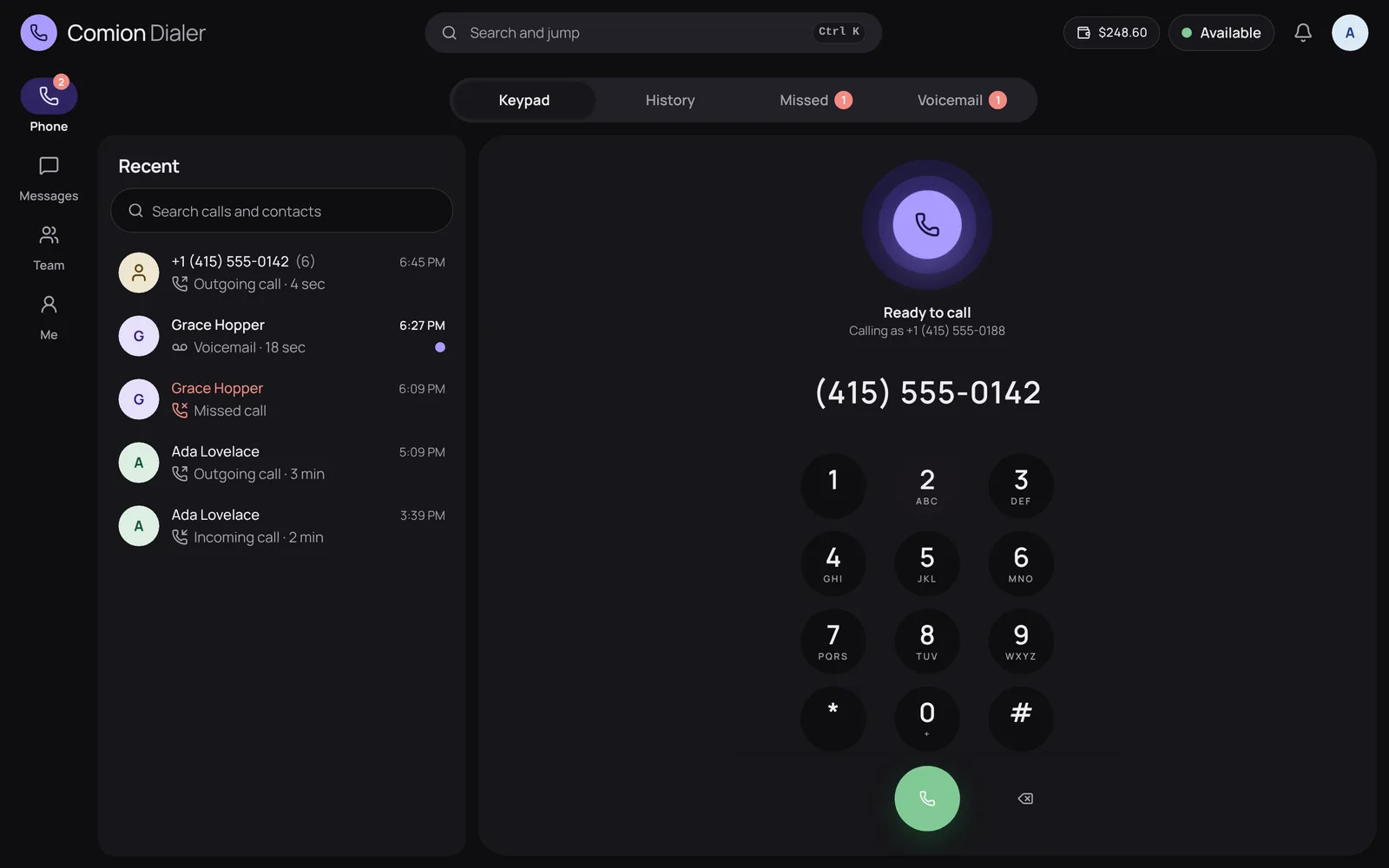
The Comion Dialer Phone screen: recent calls on the left, and the keypad with the orb saying Ready to call.
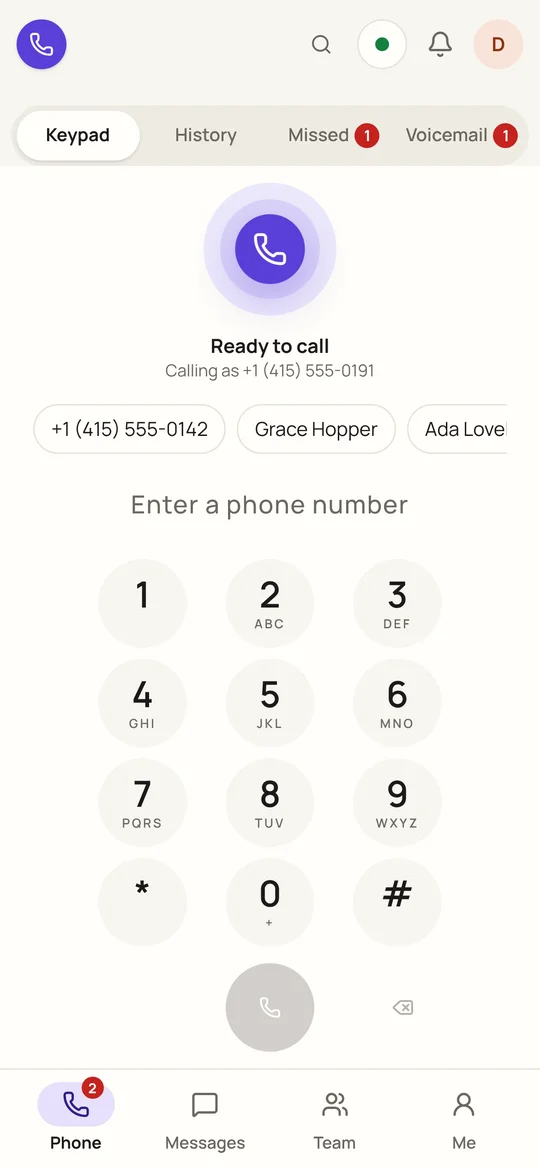
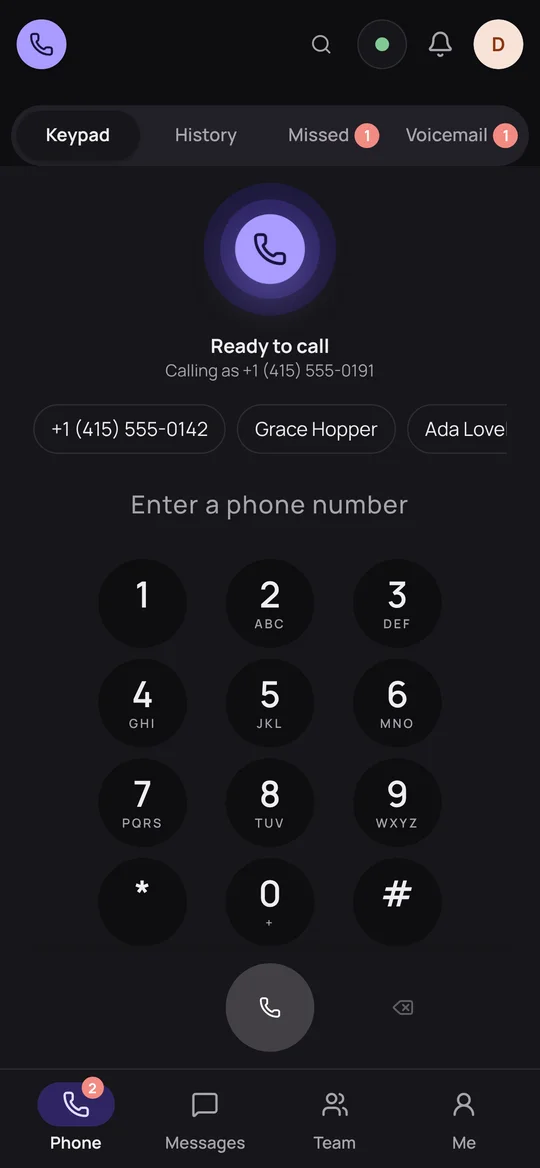
The same keypad on a phone, with Phone, Messages, Team and Me at the bottom.

How it works

Up and running in three steps

No hardware to order and nothing to install. If you can open a browser, you can make the call.

  1. 1

    Create your workspace

    Sign up with your work email and confirm the code we send you. Once it's approved, invite your team.

  2. 2

    Choose your numbers

    Pick local or toll-free numbers for each person. They're paid from your prepaid wallet, which you top up in USDT.

  3. 3

    Start calling

    Keep the dialer open in a browser tab. The orb breathes when you're ready, and calls ring right there.

Everything in four places

Phone, Messages, Team and Me

Every screen lives in one of four places, at the bottom on a phone and down the side on a computer. People find their way on day one.

Phone

Calls that feel effortless

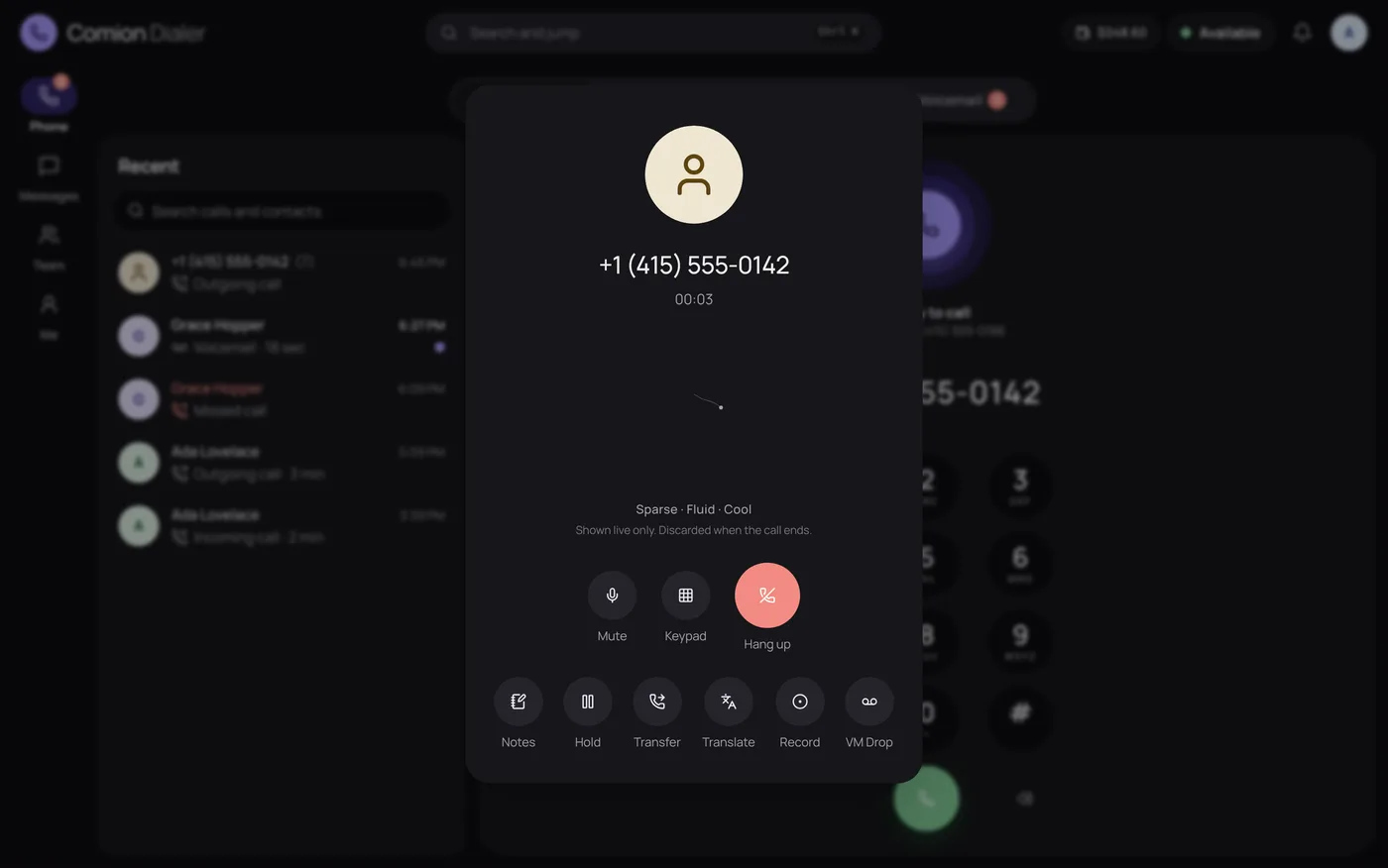
Type a number or a teammate's extension and press call. Everything you need during the call is one tap away.

  • Transfer in a tap

    Hand a call to a teammate, or to whoever is free next.

  • Live translation

    Captions in your language while you talk, with your words spoken back in theirs.

  • Voicemail with transcripts

    Listen, or read it written out, then call back from the same screen.

  • Nobody slips through

    Missed callers wait in one list until someone calls back or marks them done.

  • Notes and outcomes

    Tag a call as booked, resolved or a callback, and jot notes while you talk.

  • Recording, your way

    Record when you choose or every call, with a notice for the caller if you want one.
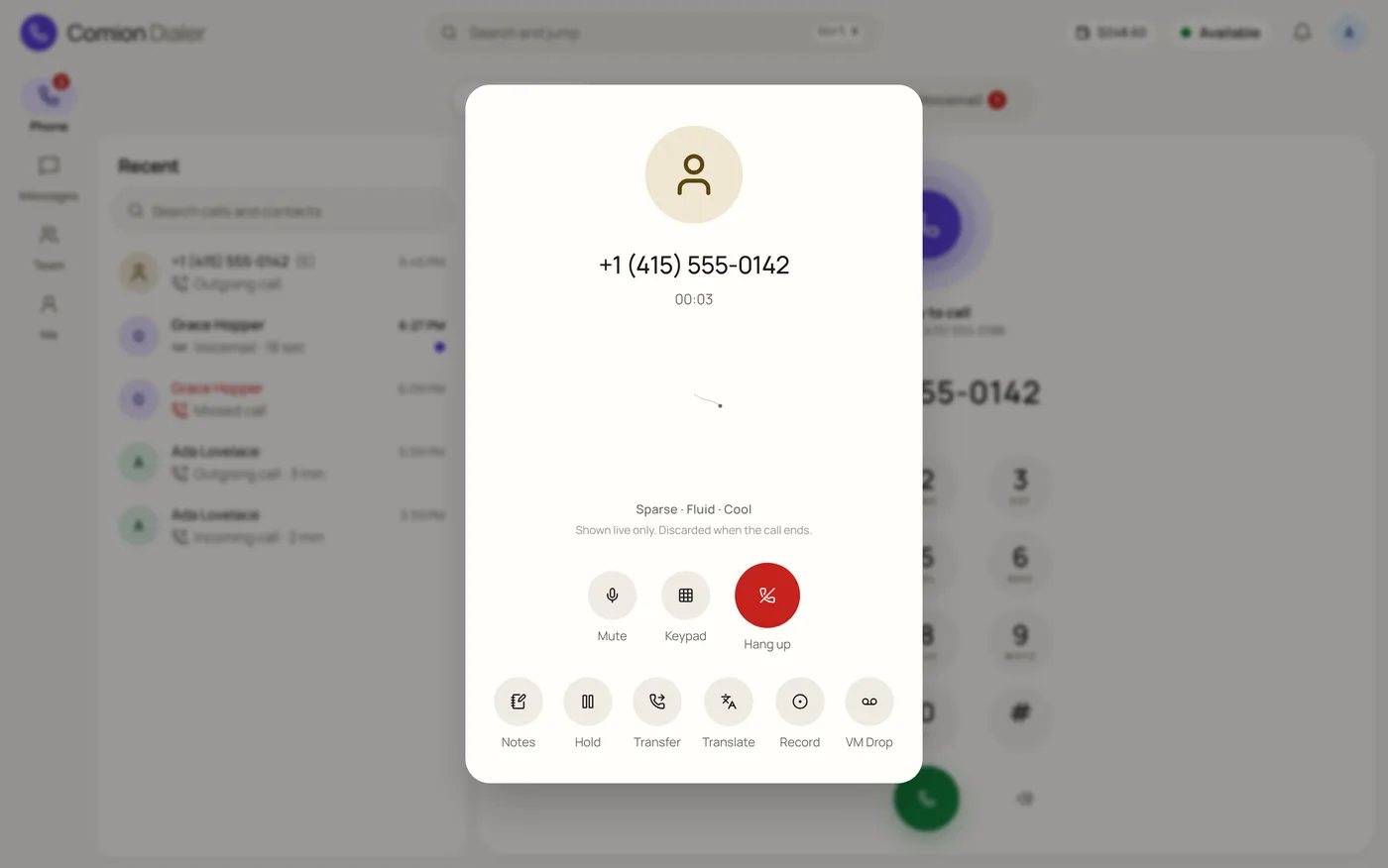
A live call: the caller's number and time, with Mute, Keypad and Hang up, and Notes, Hold, Transfer, Translate and Record below.

Messages

Every conversation in one inbox

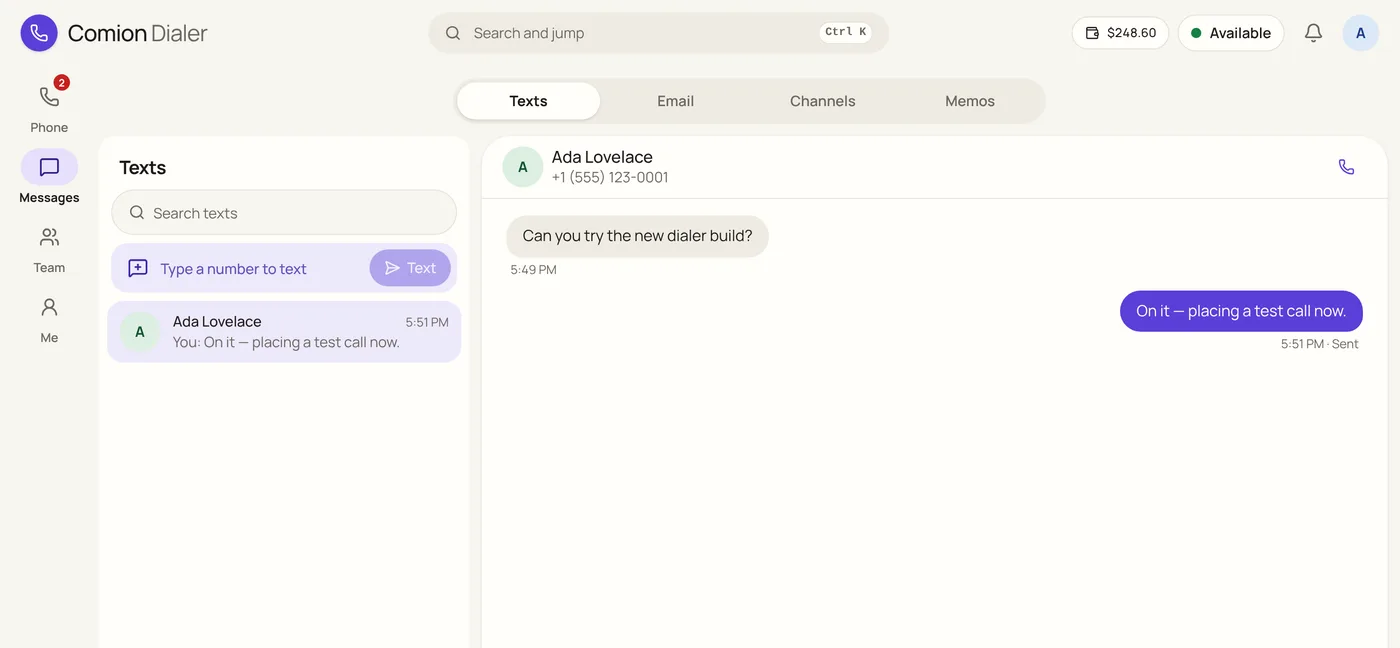
Text customers from your business number, keep email beside it, and talk to your team without leaving the dialer.

  • Business texting

    Templates fill in names for you, and STOP and START are honoured by themselves.

  • Email on your domain

    Personal and shared mailboxes, right next to your calls and texts.

  • Channels and direct messages

    Team chat for quick questions, without another app to open.

  • Memos

    Announcements for the whole team, starred and read when it suits them.

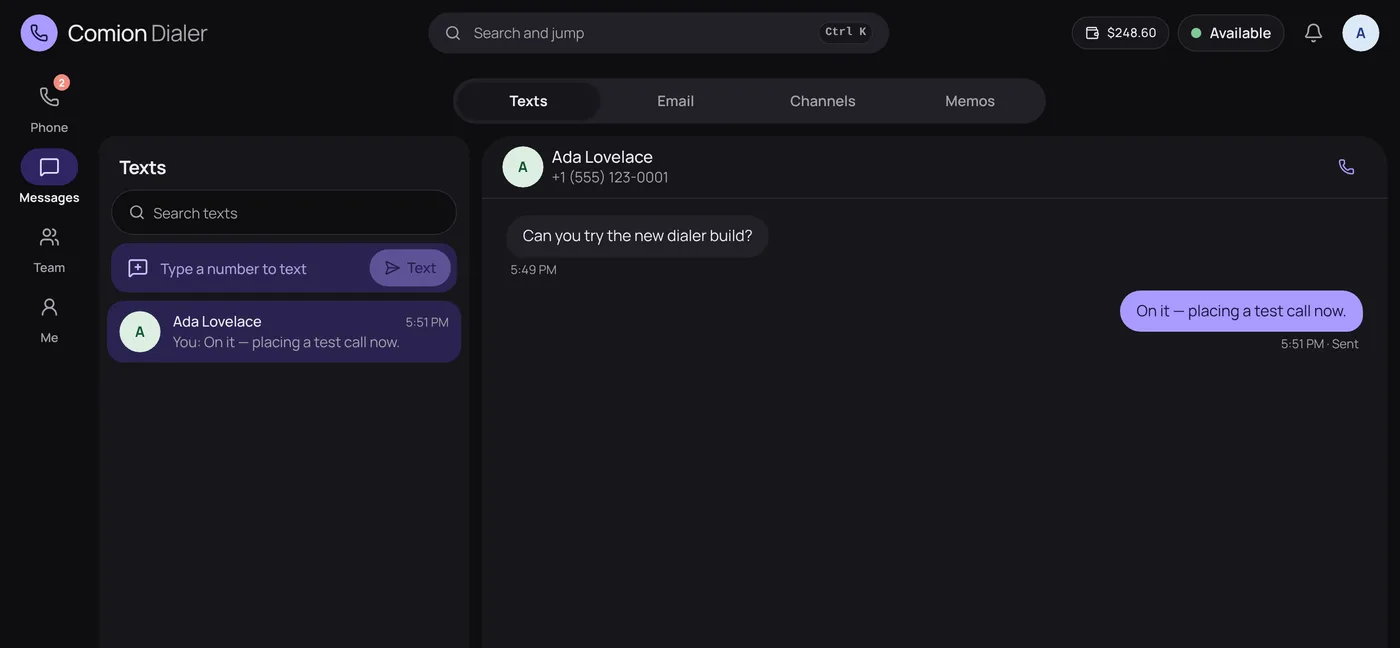
A text conversation with a customer, next to the list of conversations.

Team

See your whole team at a glance

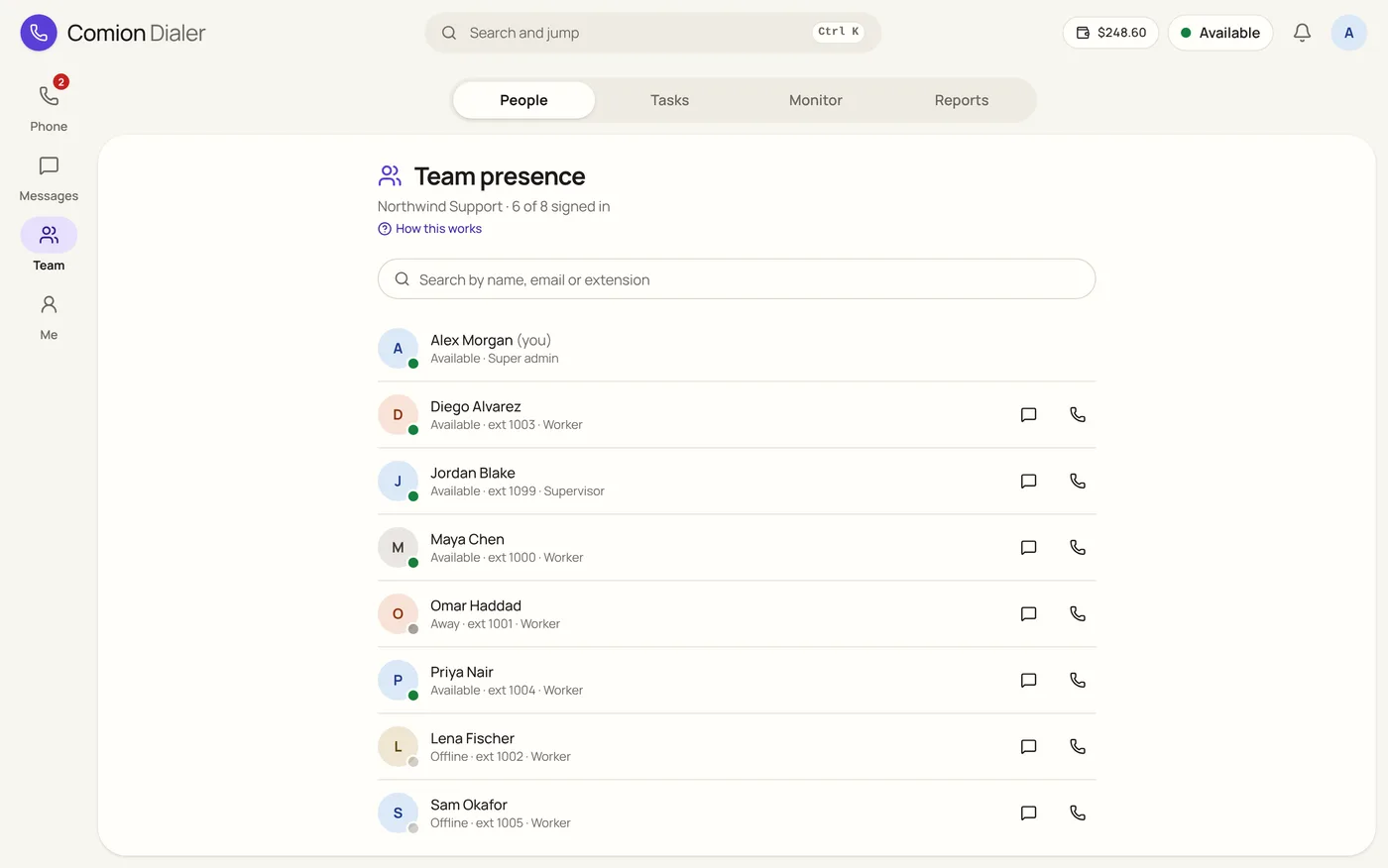
Who's available, who's on a call and who's away, with the day's tasks and the numbers that matter.

  • Live presence

    Available, Away, Do not disturb, and On a call set for you automatically.

  • Daily tasks

    Set follow-ups for the day; people mark them done with a note, and supervisors review them.

  • Live monitoring

    Supervisors see every call in progress: who's talking, with whom and for how long.

  • Reports

    Calls, answer rates, talk time, texts and busy hours, for any period and any person.

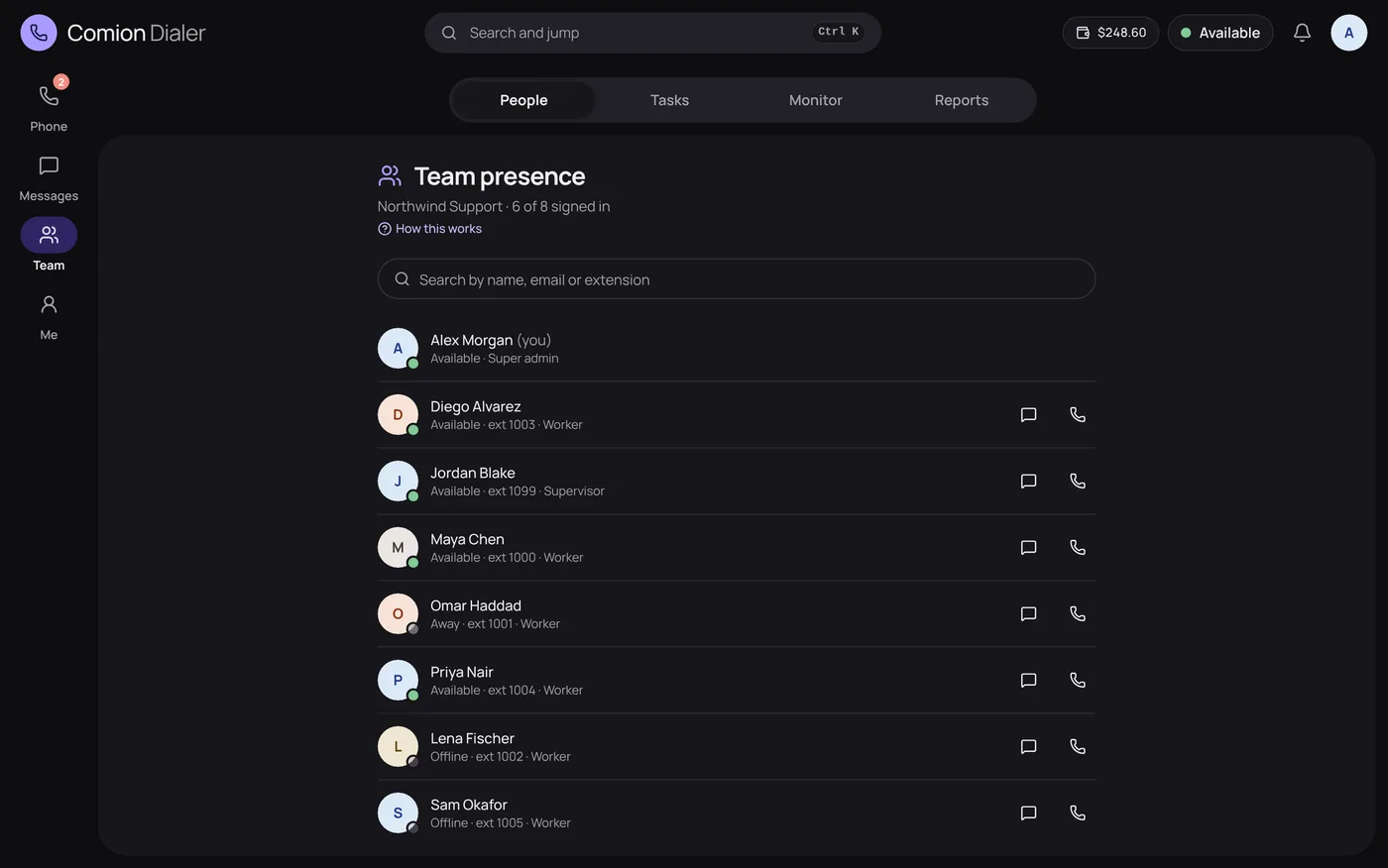
Team presence: each person with their status (available, away or offline) and extension, with buttons to message or call them.

Me

Run it all yourself

Admins manage people, numbers and money in one console, with no tickets to file and no waiting.

  • People and roles

    Invite people, set roles and seats, and let your Google Workspace accounts sign in.

  • A wallet you can read

    Each call shows its price per minute; every charge is listed, and the balance updates live.

  • Top up in USDT

    Pay on Tron (TRC20) or BNB Smart Chain (BEP20) and the wallet is credited by itself.

  • Low balance alerts

    Admins hear in the app and by email before the money runs out, with a link to top up.

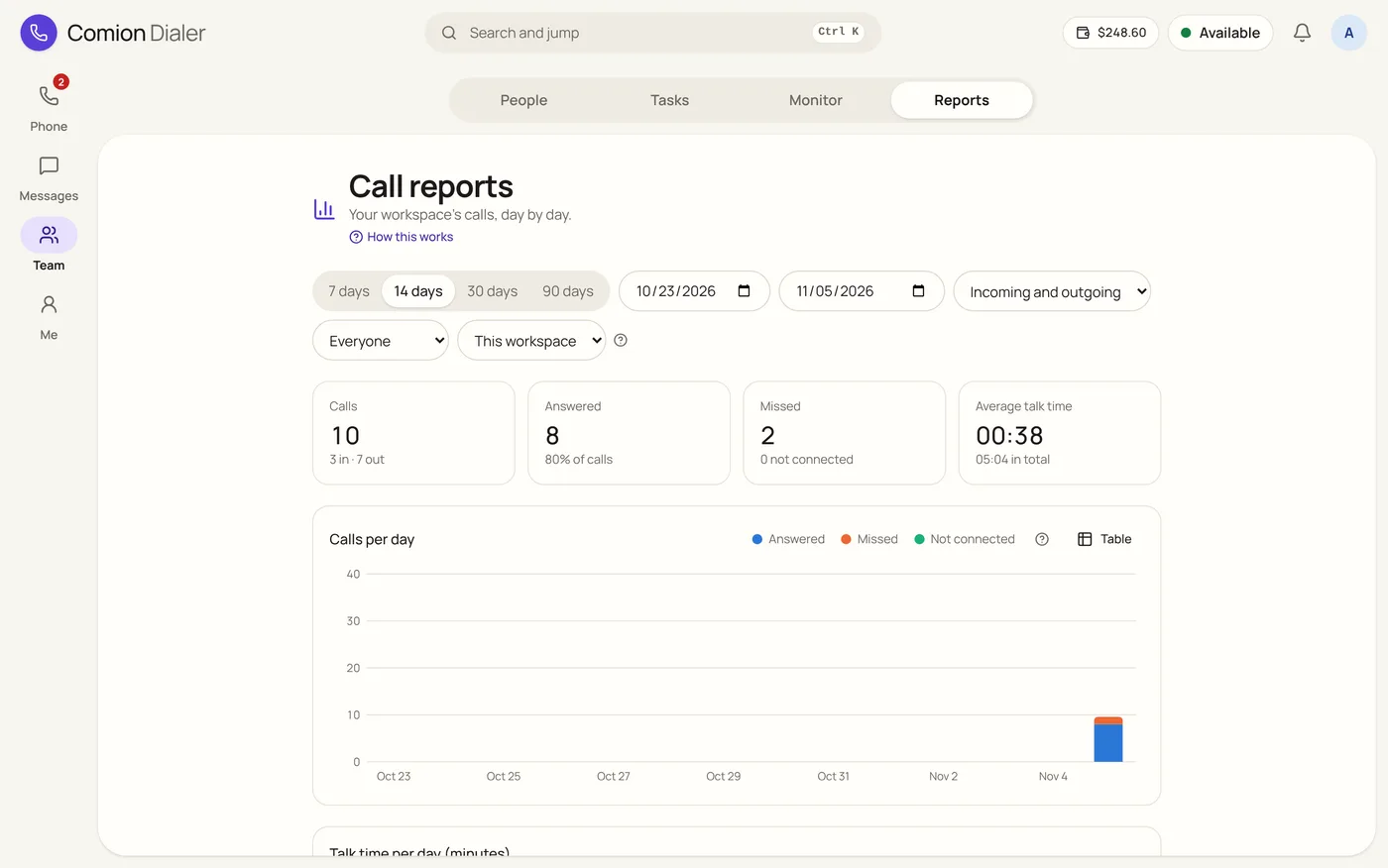
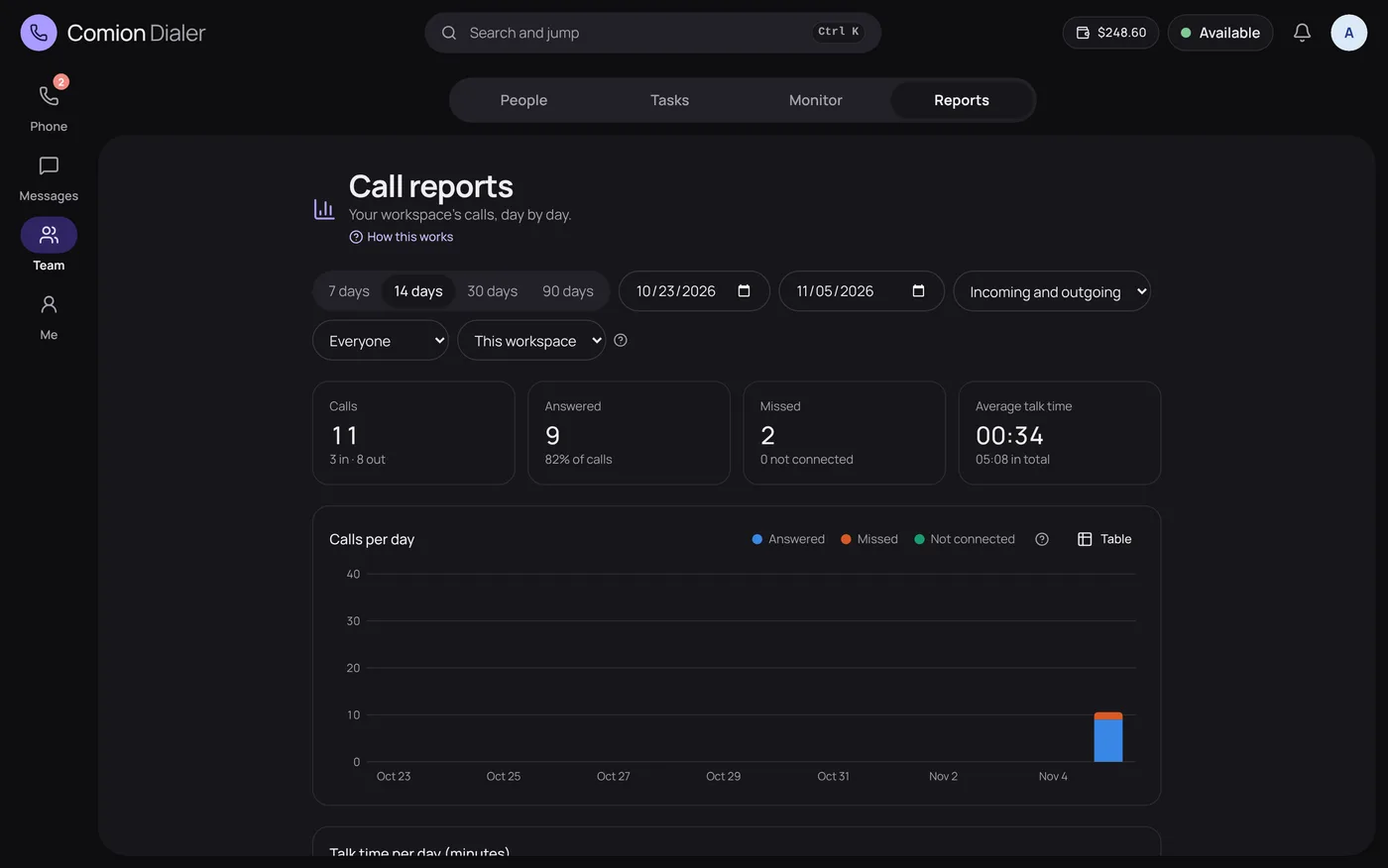
Call reports: totals for calls, answered and missed calls and average talk time, with a chart of calls per day.

Small things, done well

Calm by design

One accent colour, plain words and nothing in the way. Green means calling; red means hanging up.

  • Quick jump

    Press Ctrl K (⌘ K on a Mac) to open any screen, call or text anyone, or switch the theme.

  • Light, dark or your device's

    Five accent colours, all easy to read, and larger text for anyone who wants it.

  • Made for every screen

    The same dialer on a phone, a tablet and a computer, with the call button always in reach.

  • Built to be read by everyone

    Every screen is checked for contrast and screen-reader labels, in light and in dark.

Security

Built so you don't have to worry

A business phone carries your customers' conversations. We treat them that way, from the first sign-in to the last call of the day.

  • Your workspace stays yours

    Each company's calls, texts and people are kept apart, and we test every route against reaching another's.

  • Roles decide who sees what

    Agents, supervisors and admins each see only what their role allows.

  • Careful sign-in

    Email confirmation with a one-time code, password reset links that work once, and secure session cookies.

  • A record of every change

    The activity log shows who changed what, and when.

Pricing

Pick a package, pay as you go

A simple monthly price, and calls, texts and numbers paid from a prepaid wallet as you use them. You see the price before every call and every charge after it.

  • Personal

    For one person

    For one person making and taking calls.

    $10 a month

    Just you, on up to 5 devices

    • Calls from your browser, wherever you are
    • Your own phone number
    • Voicemail, call history and notes
    • Texting (SMS)US carriers only deliver texts from registered businesses
    • Email mailboxesNeeds your company's own domain
    • Calls to other countriesOnly your number's country. Global add-on: $10 per person a month
    Get started
  • Dialer

    For teams

    Calling for your whole team.

    $10 per person a month

    Up to 25 people at once, more on request

    • Calls from the browser, own number for each person
    • Voicemail, call history, notes and missed-call list
    • Team tools: ring groups, chat, live call monitoring
    • Texting (SMS)
    • Email mailboxes on your domain
    • Calls to other countriesOnly your number's country. Global add-on: $10 per person a month
    Get started
  • Dialer + SMS

    For teams

    Call and text customers from one screen.

    $15 per person a month

    Up to 25 people at once, more on request

    • Calls from the browser, own number for each person
    • Voicemail, call history, notes and missed-call list
    • Team tools: ring groups, chat, live call monitoring
    • Texting (SMS) from each person's numberUp to 500 texts per person a day
    • Email mailboxes on your domain
    • Calls and texts to other countriesOnly your number's country. Global add-on: $10 per person a month
    Get started
  • Dialer + SMS + Email

    For teams

    Calls, texts and email in one place.

    $20 per person a month

    Up to 25 people at once, more on request

    • Calls from the browser, own number for each person
    • Voicemail, call history, notes and missed-call list
    • Team tools: ring groups, chat, live call monitoring
    • Texting (SMS) from each person's numberUp to 500 texts per person a day
    • Email mailboxes on your domain, personal and shared5 GB per mailbox, up to 100 emails per person a day
    • Calls and texts to other countriesOnly your number's country. Global add-on: $10 per person a month
    Get started
  • Texting

    For teams

    Text customers from your own numbers, without calls.

    $10 per person a month

    Up to 25 people at once, more on request

    • Texting (SMS) from each person's numberUp to 500 texts per person a day
    • Templates, opt-outs and delivery receipts
    • Team tools: chat, memos and tasks
    • Calls
    • Email mailboxes on your domain
    • Texts to other countriesOnly your number's country. Global add-on: $10 per person a month
    Get started
  • Email

    For teams

    Mailboxes on your own domain, without calls or texts.

    $5 per person a month

    Up to 25 people at once, more on request

    • Email mailboxes on your domain, personal and shared5 GB per mailbox, up to 100 emails per person a day
    • Contacts shared with your team
    • Team tools: chat, memos and tasks
    • Calls
    • Texting (SMS)
    Get started
  • Global

    For teams

    Call and text any country, from any of your numbers.

    $25 per person a month

    Up to 25 people at once, more on request

    • Calls to every country, from any of your numbers
    • Texting (SMS) from each person's number, to every countryUp to 500 texts per person a day
    • Voicemail, call history, notes and missed-call list
    • Team tools: ring groups, chat, live call monitoring
    • Email mailboxes on your domain
    Get started

Packages with texting also need the US texting registration (10DLC): $40 one-time + $15 a month. US carriers only deliver texts from businesses registered with them, and bill the first 3 months upfront. Your admin agrees to the fees and submits the business details once, under SMS compliance; they're paid from the wallet as each step is filed. Approval usually takes a few days to two weeks. Texting numbers outside the US doesn't need it.

FAQ

Questions, answered

Do I need a desk phone or an app?

No. Comion Dialer runs in the browser on your laptop, tablet or phone. Keep it open in a tab and calls ring right there; the first time, allow the microphone when your browser asks.

Which numbers can I get?

Local and toll-free numbers, starting with the United States. Each person can have their own, and you can choose them by state, city or area code.

How does billing work?

You top up a prepaid wallet in USD and calls, texts, recordings, live translation and numbers are paid from it as they're used. The price per minute shows on the call screen, and every charge is listed in Settings.

How do I add money?

With USDT, on Tron (TRC20) or BNB Smart Chain (BEP20). Ask for payment details, send the exact amount shown (there's a QR code too), and the wallet is credited once the transfer is confirmed.

Can my team text customers?

Yes, on the packages with SMS. US carriers only deliver business texts from registered companies, so your admin submits your details once in the app. Replies of STOP and START are honoured by themselves.

Can supervisors see what's happening?

Yes. Supervisors see every live call, their team's presence and tasks, and reports on calls, texts and talk time.

Can we sign in with our company accounts?

Yes. People with your Google Workspace accounts can sign in with Google, and you can also use email and password.

Ready when you are.

Create your workspace, choose your numbers and make your first call today.